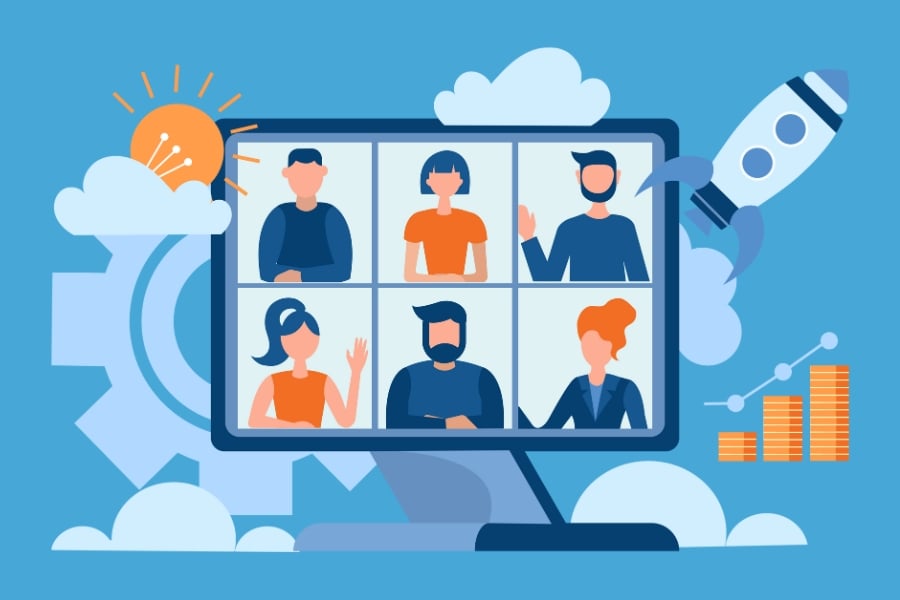
7+ Best Webinar Software Platforms to Ace Your Meetings (2023)
Looking for the best webinar software? But confused by too much information?
The good news is you have many stellar options to choose from.
The bad news is that the sheer number of webinar platforms can leave you with a nasty case of choice paralysis.
It may be tempting to throw up your hands and only rely on basic options like Facebook Live or Google Hangout.
But, taking the easy way out won’t benefit you in the long run.
If you want your efforts to succeed, your best bet is to rely on a quality webinar platform.
Listed in no particular order, we break the software solutions down into manageable chunks:
- The pros and cons
- Pricing
- Should you use It?
Whether you’re new to the scene and need to know how to create a webinar from scratch or an expert with years of experience, you’re in the right place!
So, let’s dive in.
GoTo Webinar
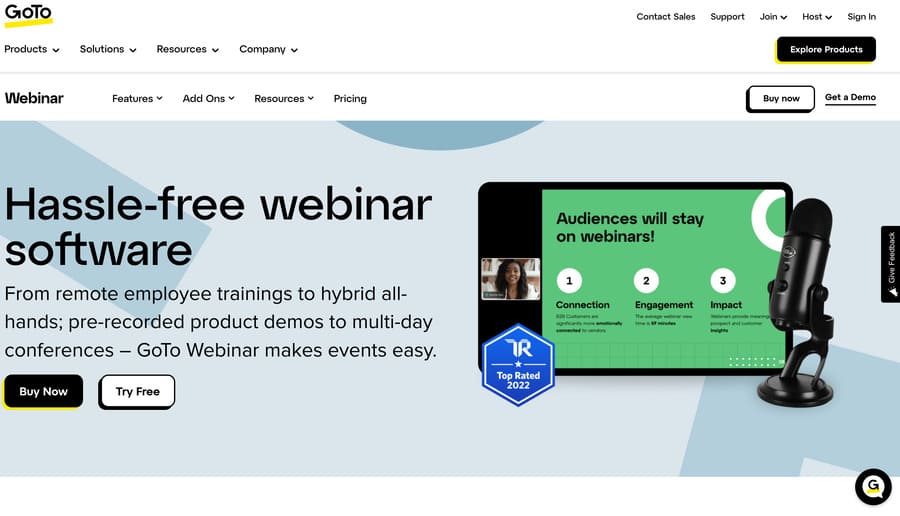
The first webinar platform on our list is also one of the oldest and most trusted — GoTo Webinar.
Their specialized software makes organizing, launching, and hosting a live event easy. All while helping you reach a wider audience and expand your operations.
They offer many features, including flexible scheduling, automated email marketing reminders, customizable webinar invitations, and much more.
How Much Does GoTo Webinar Cost?
GoTo Webinar currently features four distinct plan options for users, organized by their monthly price with services billed annually.
| Plan Name | Cost (Per Month) |
| Lite | $49 |
| Standard | $99 |
| Pro | $199 |
| Enterprise | $399 |
Pros of GoTo Webinar
- Automated webinars and other video-based events.
- Standard audience engagement capabilities for live webinars include a chat feature, whiteboard, polls, and surveys.
- Seamless integration with several useful tools, including GoTo Meeting, Unbounce, Salesforce, and Zapier.
Cons of GoTo Webinar
- The cheapest pricing plan (Lite) contains minimal features and doesn’t include any add-ons like the other plans.
- Only the GoTo Webinar Pro plan currently features a free trial, and it’s only for seven days.
- Webinar organizers, hosts, and panelists must download the platform’s desktop application.
Who Should Use GoTo Webinar?
This platform is ideal for those who want to focus more on conducting recorded webinars (sometimes called automated webinars) for their audiences rather than live ones.
While you can perform top-notch live webinars seamlessly, they make it easy to create pre-recorded events. This gives you the flexibility to launch later and allows audiences access on repeat.
Demio
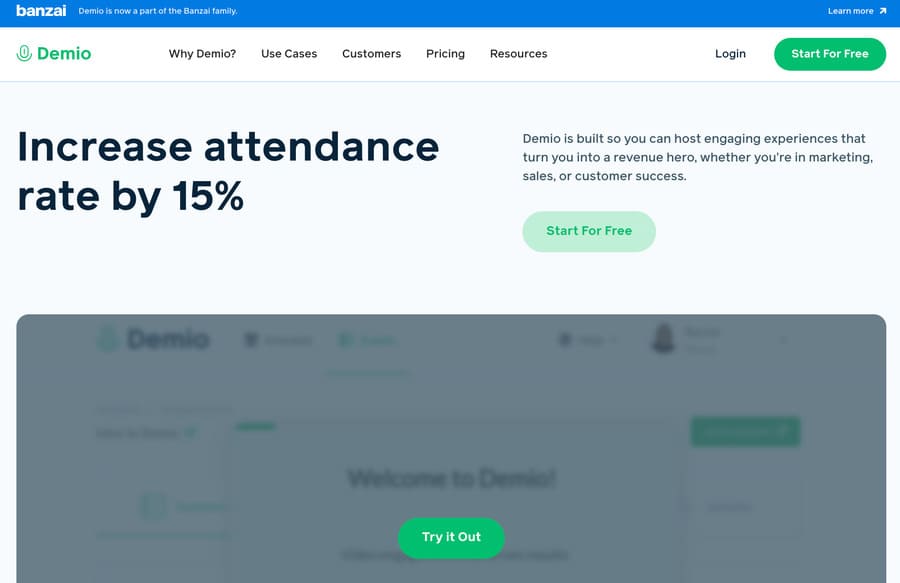
If you’re searching for a quality webinar tool, Demio is one platform that should be on your list of considerations.
The highly customizable platform offers a wide range of detailed analytics and marketing features for businesses to leverage.
With these tools, users can determine whether their webinars work well with audiences to promote sales and deliver a positive return on investment (ROI).
How Much Does Demio Cost?
Demio currently offers three plan options for users. Each plan varies in price depending on the size of attendee rooms and whether you pay monthly or annually.
| Plan Name | Cost (Per Month) | Cost (Per Year) |
| Starter (Starting at 50 attendees) | $59 | $499 |
| Growth (Starting at 150 attendees) | $109 | $899 |
| Premium (Starting at 500 attendees) | N/A | $3,300 |
Pros of Demio
- Easy-to-use email automation options and event reminders for registered attendees.
- Seamless integration capabilities with marketing, advertising, and customer relationship management (CRM) systems.
- Highly detailed analysis and statistical reporting for attendee interactions (engagement with live chat, polls, and offers).
Cons of Demio
- Limited customization options overall and no customizations for attendee registration pages.
- Platform controls and interfaces aren’t as intuitive or user-friendly as other solutions included on this list.
- No conversion analytics for registration pages to track how many people choose to attend a virtual event or not.
Who Should Use Demio
As a platform, Demio is one of the best webinar software options for businesses focusing on effective lead generation, marketing tactics, and sales during events.
The platform is also ideal for businesses that want to leverage both automated webinars and live webinars to reach their target audience and drive profits effectively.
WebinarJam
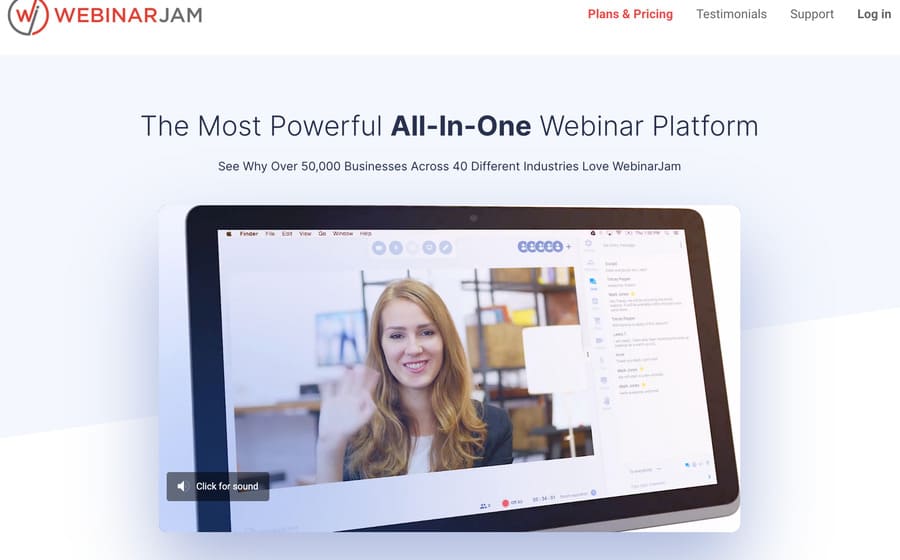
WebinarJam is an easy-to-use platform that offers some unique benefits you won’t see in other software options on this list.
The system enables users to leverage impressive features to improve webinar performance, including HD video quality, multiple-presenter options, and a customer-facing interface.
WebinarJam developers are so confident in their services that they even offer a 30-day, 100% money-back guarantee.
How Much Does WebinarJam Cost?
WebinarJam currently offers four plan options, which the platform bills users for annually based on a set monthly price.
| Plan Name | Cost (Per Month) |
| Starter | $39 |
| Basic | $79 |
| Professional | $229 |
| Enterprise | $379 |
Pros of WebinarJam
- Unique in-webinar pop-ups to promote and sell products directly from the webinar, which also make the system a valuable marketing tool.
- Advanced Live Chat and 1:1 video communication with webinar participants for unparalleled two-way communication.
- Automatic webinar recording so hosts can mail video copies of the event to attendees.
Cons of WebinarJam
- Fewer integrations with outside platforms and solutions providers than other options in our list, specifically a third-party audio-visual (A/V) tool.
- Limited to live webinar hosting and requires users to leverage a sister program — EverWebinar — for automated “evergreen” webinars.
- Reported issues with sound and video delay by users.
Who Should Use WebinarJam?
WebinarJam is an ideal platform for individuals and businesses wanting to promote and sell products and services.
The system is designed for live selling opportunities during video events. So users benefit from connecting with audience members and generating revenue simultaneously.
LiveWebinar
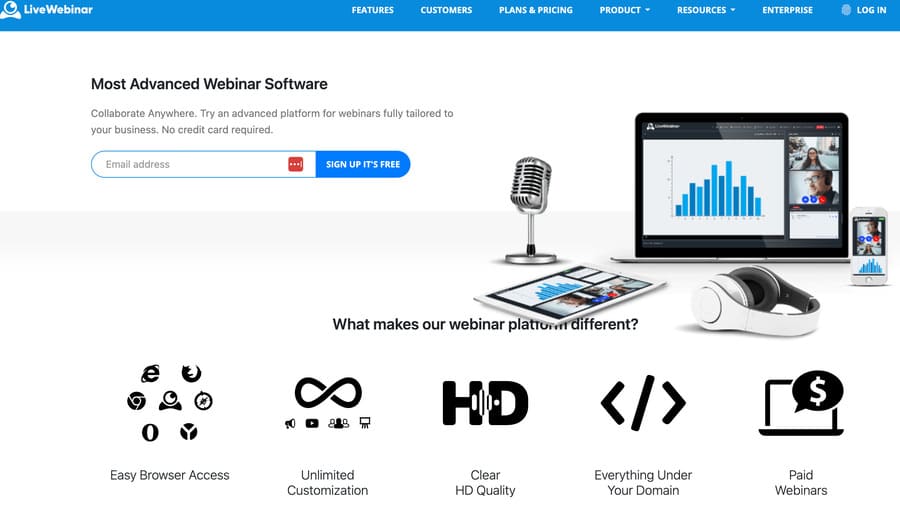
LiveWebinar gives you the opportunity to customize a unique live webinar experience.
This specialized platform makes it easy to plan and host webinars, attract large audiences, and embed webinars into websites and social media content.
It also offers a unique share camera mode for interactive QA sessions during events.
How Much Does LiveWebinar Cost?
Alongside Vimeo (we explore below) LiveWebinar is tied for having the largest selection of plans for users to choose from.
They currently offer one free and four paid plans, billed annually and arranged based on a per-month cost.
| Plan Name | Cost (Per Month) |
| Free | $0 |
| Pro | $14.42 |
| Business | $114.42 |
| Business Plus | $220 |
| Enterprise | Unlisted — contact their sales team to get a quote |
Pros of LiveWebinar
- Live webinar streaming capabilities to multiple social media platforms simultaneously.
- Multiple integrations with popular CRM systems, marketing automation platforms, and more.
- Mobile access and direct-from-browser streaming capabilities — no downloads or installations required.
Cons of LiveWebinar
- No webinar replay options are available, so users cannot send follow-up email marketing.
- No specified analytics dashboard is available for users, only exportable analysis reports.
- Users can’t reopen live offers during webinars after closing them.
Who Should Use LiveWebinar?
LiveWebinar is a fantastic solution for anyone who wants to start hosting high-quality, live-streaming webinars.
Thanks to the platform’s mobile access and browser-run capabilities, you can stream on your preferred device from anywhere with an internet connection.
Online influencers, particularly, will benefit from its portability.
Adobe Connect
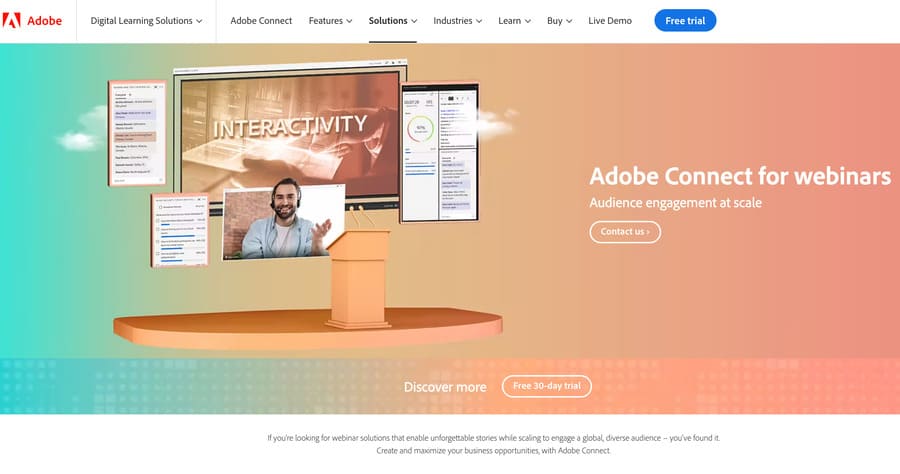
As a webinar software provider, Adobe Connect is a frontrunner due to the company’s successful history in technology innovation.
The platform enables webinar hosting for large audiences alongside smaller videos and meetings for online customer interaction. Webinar hosts can even share documents with audience members during events.
The software also features a range of customization capabilities, so users can craft optimized hosting rooms to meet their unique needs.
How Much Does Adobe Connect Cost?
Adobe Connect features three plans that users can pay for monthly at full price or annually at a discount.
| Plan Name | Cost (Per Month) | Cost (Per Year) |
| Adobe Connect Meeting | $50 | $540 |
| Adobe Connect Webinars | $130 | $1,250 |
| Adobe Connect Learning | $370 | $3,500 |
Pros of Adobe Connect
- Customization capabilities for registration pages and templates to customize your virtual webinar environment.
- Easy to reach out, track, and influence target audiences with surveys, polls, videos, and blog content.
- Detailed analytics capabilities for better insights into webinar performance.
Cons of Adobe Connect
- Users need to download and install desktop applications of Adobe Connect for the program to function.
- Multiple customer complaints related to low webcam video quality on mobile, password issues, and complicated sign-up processes.
- A highly-cluttered and distracting user interface featuring too many products.
Who Should Use Adobe Connect?
Adobe Connect is ideal for larger companies, marketing organizations, and other major entities that host regular webinars for massive audiences.
Being able to custom design a webinar using Adobe’s powerful digital solutions makes it perfect for brand recognition.
Vimeo Livestream
When it comes to hosting webinars for a diverse, wide-reaching audience, Vimeo Livestream is an excellent option.
The software enables users to deliver a superior HD experience for users. While also keeping them engaged through polls, chat features, and moderated QA sessions.
Vimeo is also a well-known and trusted hosting platform recognized by users worldwide.
How Much Does Vimeo Livestream Cost?
Alongside LiveWebinar, Vimeo boasts the largest selection of plan options for users. They currently offer one free plan and four paid plans, which they bill for annually based on monthly rates.
| Plan Name | Cost (Per Month) |
| Free | $0 |
| Starter | $9 |
| Standard | $25 |
| Advanced | $65 |
| Enterprise | Unlisted — contact their sales team for details |
Pros of Vimeo Livestream
- Detailed webinar analytics dashboard that shows engagements, average attendee watch time, attendee count, and more.
- Highly customizable playback, social, and branding options are available for pre-recorded webinar replays.
- Automatic YouTube Live streaming options with closed captions and broadcasting capabilities to other streaming software.
Cons of Vimeo Livestream
- Multiple customer complaints about several-second video delays and latency issues for a live webinar session.
- Pre-built QA and poll features aren’t accessible to attendees viewing live streaming through YouTube Live.
- No access to pre-configured call-to-action options for sales purposes during live webinars.
Who Should Use Vimeo Livestream?
Anyone interested in streaming to a wide range of global attendees should consider leveraging Vimeo Livestream.
It’s ideal for those wanting to reach new audiences since attendee registration is easy and doesn’t require individual Vimeo accounts to attend.
Zoho Meeting
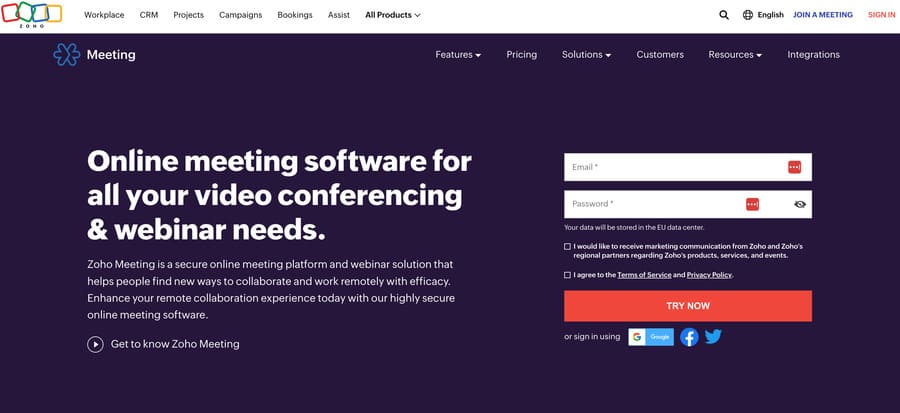
If you’re looking for another browser-based platform for easy and affordable webinar hosting, you should consider Zoho Meeting.
The platform is simple and user-friendly but still offers users access to live chat, polls, email notifications, screen sharing, and much more.
Unlike other webinar platforms, Zoho Meetings lets attendees talk during webinars, making it great for collaboration.
How Much Does Zoho Meeting Cost?
While Zoho Meeting offers some of the fewest plan options on this list, they’re some of the best in terms of price.
The cost of each paid plan depends on the number of webinar attendees and whether users opt to pay for their plans monthly or annually.
| Plan Name | Cost (Per Month) | Cost (Per Year) |
| Free Forever | $0 | $0 |
| Standard (Starting at 25 attendees) | $9 | $8 |
| Professional (Starting at 25 attendees) | $19 | $16 |
Pros of Zoho Meeting
- Browser streaming capabilities, so users don’t need to download or install Zoho software.
- Optional feedback capabilities to collect attendee input via star-rating polls.
- Optional certificate of attendance for all attendees after webinars.
Cons of Zoho Meeting
- Webinar analysis and reporting features aren’t as comprehensive as other platforms on this list.
- No customizations for attendee email reminders or registration pages.
- Multiple customer complaints about webinar disconnections and slow platform performance.
Who Should Use Zoho Meeting?
Zoho Meeting is ideal for users who need affordable, browser-based webinar software for marketing to a worldwide audience.
It’s also one of the best solutions on this list for anyone that wants to host smaller webinars for a limited number of attendees.
Zoom
If you know anything about online video conferencing, you know about Zoom.
Due to the coronavirus pandemic, the platform is now one of the most commonly used software options for video meetings worldwide.
But did you know that Zoom also enables users to launch webinars and other video events with ease?
How Much Does Zoom Cost?
There are currently three plans offered by Zoom, though the plans are more complicated than those offered by other platforms.
The price for each varies depending on whether users select monthly or yearly billing and how many attendees they want in their webinars.
| Plan Name | Cost (Per Mont) | Cost (Per Year) | Cost (Per Attendee) |
| Zoom Webinars | $79 (minimum of 500 attendees) | $690 (minimum of 500 attendees) | N/A |
| Zoom Sessions | N/A | $990 (starting at 100 attendees) | $100 (starting at 50 attendees) |
| Zoom Events | N/A | $1,490 (starting at 100 attendees) | $125 (starting at 50 attendees) |
Pros of Zoom
- Zoom is a very popular and easy-to-use platform, so potential attendees likely know how to use it already.
- Stable and reliable connections for all users, even if they don’t have a fast internet connection.
- Allows private and public conversations, so attendees can communicate during webinars without interrupting the event.
Cons of Zoom
- Users and live attendees must download and install Zoom to fully participate in webinars if they want access to all features, such as a QA session and screen sharing.
- Doesn’t offer the same automation or webinar marketing features as other platforms on this list.
- Multiple user complaints about audio quality and occasional call disconnections.
Who Should Use Zoom?
Overall, Zoom webinar is a great piece of software.
In short, it’s ideal for webinar hosts who want to keep things simple but still go beyond other baseline solutions.
via 7+ Best Webinar Software Platforms to Ace Your Meetings (2023)
7+ Conversion Copywriting Tips: Switch Surfers into Sales (2023)
Switch Surfers into Sales (2023)
Looking for inspiring ways to use conversion copywriting?
You’ve heard you can move your website browsers into buyers simply by writing effective copy.
But you’re struggling to understand how to win over visitors quickly, before they leave your site.
It’s frustrating!
And, on top of that, it’s leaving you out of pocket.
So, how do you create enough incentive, capture interest, and build desire for your visitor to stay on your page?
We’ve broken down the key elements of conversion copywriting into bite-sized chunks for an easy-to-follow success recipe.
Let’s get started!
8 Conversion Copywriting Tips to Attract More Sales
Statistics state users stay on a web page between 10-20 seconds before they click away. It’s a fraction of time to grab interest and draw them into the meat of your writing.
So, in that fleeting moment, how do you seize their curiosity to explore more?
By creating a process.
Imagine baking a cake without a recipe. It’s the same thing with marketing copy. Here then, are 8 tips for baking the perfect conversion copywriting ‘cake.’
Tip #1: Clear Objectives for Conversion Copy

Searchers are looking to solve a problem.
They don’t care about you, how many college degrees you’ve got, or if you work for the best company in the world.
They’re not bothered about anything other than their dilemma and how to fix it fast. If they can’t see immediately, you can give them a solution, they’re off!
But how do you stop their scrolling in those first few seconds of them landing on your page?
Plan Your Post From the Beginning
Start by creating a content brief. This will become the ‘recipe’ for your post.
By writing a detailed brief, you will be able to identify the key elements necessary to get to the heart of your reader’s problem.
All Smartblogger posts are written using this same outline and include:
- Searcher intent — What exactly is the searcher wanting to find in your post?
- Keyword research — What is the best target keyword and secondary keywords to use?
- Competition — Who is already ranking for the keyword?
- Success criteria — What is the intended organic page listing, and how long will it take to get there?
- Post outline — What will the post look like?
- Word count — How long does the post need to be?
- Headline — What headline are you going to use?
By constructing this blueprint, you’re already ahead of the game.
Conversion copy is about excellent research, clear direction, and delivering words your audience expects to see.
Tip #2: Focus on Your Target Audience

As we’ve stated earlier, your reader is only interested in getting help with their problem. They are so focused on their issue it’s as if they have blinders on restricting their view.
Hence the short window of opportunity you have to grab attention and keep them reading your sales copy.
If the opening paragraph doesn’t immediately hook them in, they quickly scroll on to the next website. That’s why your content must be on point instantly.
Empathy: Get to the Heart of the Matter
Often overlooked for its touchy-feely associations, empathy is the way to keep your audience reading.
Tune in to their pain, and empathize with their problem. Then, draw them into your post with the keywords found in your research.
For instance, this post is all about conversion copywriting.
But what if you had been searching for how to become a copywriter?
The question suggests a different audience to the one who is searching for persuasion techniques.
Similar words, yet divergent conclusions. And it’s only by understanding your audience, and their problem, you’ll be able to find the words you need to use.
After all, who isn’t won over by someone who appears, as if by magic, to be able to read your mind?
This is the power of empathy.
Tip #3: Engaging Headlines: 4 Tips to Grab Attention

It’s easy to forget your audience first engages with your content the moment they hit search on their query.
Right away, you’re presented with a host of headlines. It’s the same whether you’re browsing a magazine stand or surfing the net; headlines stand out.
So what makes you click on one and not another?
4 Principles of A Great Headline
A great headline has several important principles. Let’s take you through them one-by-one:
- Target Key — Chose one keyword or keyword phrase per post. Like your audience, you need to be focused on one problem at a time.
Also, search engines reward your clarity by promoting your posts!
- Benefit — A benefit helps the reader decide if the post is going to solve their issue.
Take a look at this headline… 10 Marvelous Copywriting Examples (& Why They Convert)
The benefit is “why they convert.” It’s intriguing. And you find yourself clicking to find out why.
- Fits Google’s Pixel Count — Here’s a nifty tool to ensure your headline conforms to good SEO practices. Firstly, this provides all your carefully crafted headlines can be read.
Secondly, it helps more people discover your post, as the search engines boost organic results.
Keep it simple. Which effortlessly brings us to the next key element of conversion copywriting.
Tip #4: Get to the Point with Winning Persuasion Techniques

In truth, all of the copywriting secrets we’ve shared so far are persuasive copy techniques. They all help to build rapport with your audience and ultimately encourage them to take action.
But it’s the art of moving someone from browser to buyer that often gets a bad rap. Just like that of the used car salesman.
However, there’s a wealth of difference between being too pushy and not getting the buy-in you need.
Being able to persuade someone to do something requires them to be onboard with your thoughts.
Or, more accurately, you to be onboard with theirs!
Mirror Language — Attract Fans
By mirroring their language and writing like they talk, your readers will begin to recognize a kindred spirit.
They will feel they are speaking with someone who really understands their problem.
You might like to try this suggestion to unearth what people are saying… browse Reddit.
A quick search in Reddit for your niche will soon have you discovering an abundance of material.
Reddit metrics suggest more than 2.8 million topics are discussed on the forum. With around 50 million daily active users, there’s sure to be enough research to keep you up-to-date!
So now we have the material needed to attract your reader. Let’s show you how to write effective copy.
Tip #5: Bite-Sized Chunks of Copywriting Magic

As the image above shows us, newspapers introduced this simple idea of bite-sized chunks of copywriting a long time ago. Many of the sales techniques used in the industry have since been adopted online.
Using headlines and small blocks of copy help to keep the reader interested and moving on to your next idea.
They enable your audience to scan-read and decide whether they want to continue reading.
Further help comes when you use subheads, bullet points, and images.
By using these 3 elements in your posts, you’ll be encouraging your reader to spend more time with you.
And, the more time they are with you, the more likely they will become a buyer.
White Space for Easy Reading
Another tip is to use white space.
Unlike newspapers, don’t crush all your words into a small spot. Reading online is hard, so give your readers a spa-like experience!
Split your paragraphs into smaller chunks of writing.
It may not be what your High School teacher would have approved of, but it helps your website visitors read without undue stress on their eyes.
Make it easy for them to spend time with you. If they feel relaxed, heard, and supported, they’ll definitely be back for more.
White space also appeases the seo content gods.
What’s not to love about Google recognizing great information and rewarding your efforts!
Tip #6: Confident Copy Equals Sales

Talking of easy, you’ll want to sound confident too, right?
Because there’s nothing like a little belief to edge your audience toward a buying decision.
They want to be reassured you know what you’re talking about. That you are confident in your subject.
Confident copy comes from the words you use (or don’t use), as we will discover.
K.I.S.S Technique (Keep It Short & Simple)
You may well have heard the saying less is more. Well, the Keep It Short & Simple technique allows you to stay on track in much the same way.
Here are 3 avoidable mistakes to writing effective copy:
- Avoid using filler words. These are unnecessary words that creep into our writing. We often aren’t aware they’re there… until pointed out!
They have a habit of fudging your message, watering down clarity and power.
- Resist the temptation for overly long paragraphs and sentences. Break them up so they are short and sweet.
Take a look at how to write a paragraph for ideas. Learn to capture your audience’s attention, rather than bore them rigid.
- Finally, write clearly. This is harder than you think! It’s easy to get carried away when you know the topic inside out.
Yet, not everyone reading your work will have your level of knowledge.
One further tip for confident copywriting is to edit ruthlessly. It may sound extreme, but it will improve your work.
The polish of a well-edited piece of writing shines out like a diamond in a mass of rock.
Tip #7: Make Your Writing About Them, Not You — Choose Radio WIFIM!

We’ve touched on this subject earlier. However, it’s worth repeating. In order to succeed online, your copy must answer the question, “What’s in it for me?”
Radio WIFIM (What’s in it for me?) is alive and well within each of us. The radio waves are always tuned into our own unique wavelength.
Whether deciding what to have for dinner or which website to look at first, we are influenced by these powerful words.
We subconsciously weigh up the pros and cons before deciding which choice to make.
Although we don’t like to admit it, our emotions channel our decisions.
By employing empathetic writing, you will appeal to your readers more effectively.
Your Radio WIIFM Checklist
- Establish trust — Use the language of your reader
- Use sensory words — Appeal to their emotions
- Power words = Persuasion — Sprinkle in magic power words for more emotional buy-in to your message
- Tell them what to do next — Spell it out for them, don’t hope they’ll take the next steps without direction
Of course, these are only a few steps you might utilize in your conversion copywriting.
However, if you only remember one thing, Radio WIFIM will stand you in good stead.
By now, your content marketing is beginning to shape up. Whether writing a Facebook ad, blog post, or seo copywriting keep your potential customer in mind.
Read on to unwrap a surprise. This little-known secret will make all the difference to your final post.
Tip #8: Read Out Loud — Your Secret Key to Conversion Copywriting

Yes, you heard me right! Read your writing out loud.
It’s the only way you’ll pick up those jarring sentences. Be able to hear the order of things. Give yourself the opportunity to spot any errors.
It’s amazing the difference it makes to the finished copy. It never fails to bring up sections that irritate, or simply don’t seem to flow.
And it’s this elusive flow you’re after. Both from a logical and an ease-of-reading point of view.
The Art of Writing Good Copy — A Skill You Can Cultivate
Looking for more conversion copywriting suggestions to make you a better writer?
Check out these compelling writing tips, guaranteed to offer you:
- Writing exercises
- Power words that pack a punch
- Transitional words to make your writing flow
- Editing tips
Put these tips into practice and experience their magic for yourself! Make them a part of your everyday writing, and you’ll soon notice a difference.
Another way to get into the flow is with creative writing prompts.
Short sections of content writing practice work wonders! Why not kick-start your brain into action, so you can create your best work on a daily basis?
However, don’t let copywriting overwhelm you.
It may seem like a huge hill to climb up first, but you’ll soon get into the swing of things. And you’ll be delighted with the results.
via 7+ Conversion Copywriting Tips: Switch Surfers into Sales (2023)
To Niche or Not To Niche: Guidance from Creators on Picking A Lane

What do creators like Mr. Beast and Ali Abdaal have in common? Not much, actually, other than the ‘Creator’ label and being YouTubers. They serve distinctly different audiences and create very different types of content. However, no matter how you look at it, they’re both pretty successful in their own rights.
For content creators , one of the biggest debates is whether or not to “niche down” and focus on a specific topic or audience. Some argue that niching down is necessary for success, while others believe that it’s better to have a broader focus.
In this article, we’ll explore both sides of the argument and provide guidance on (with input from expert creators) how to pick a niche that works for you.
Arguments Against Niching Down
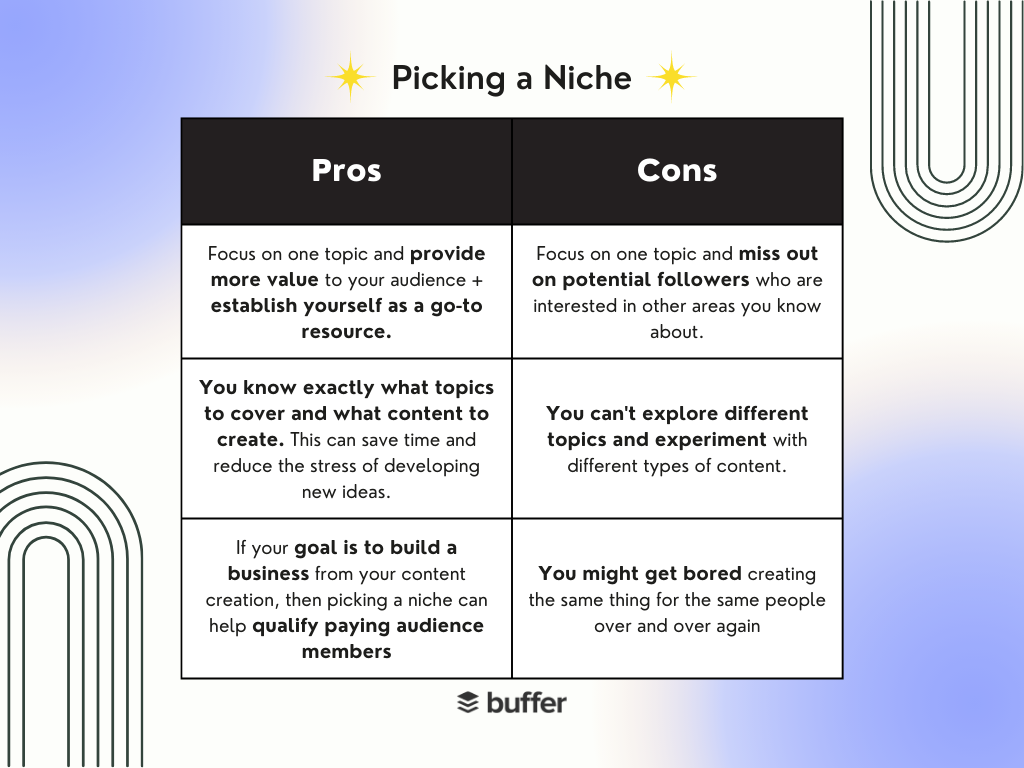
On the other hand, some argue that niching down can limit your audience and opportunities. If you only focus on one topic, you may miss out on potential followers who are interested in other areas you have knowledge about. Additionally, if your niche becomes oversaturated, it can be difficult to stand out.
Not niching down can also allow you to be more creative and versatile with your content. You can explore different topics and experiment with different types of content, which can keep your audience engaged and interested.
Certain creators feel more comfortable without labels – including Toni Bravo, who says, “…I will never have a niche. [T]here’s a million things that I’m always doing at once. So I would post like knitting stuff. And then I post beauty stuff. And then I post up about my dog. And then I just post random trending sounds. So I never put myself in like a box but what I do pay attention to is how things are received.”
@bonitravo
yes, i’m a sagittarius
♬ original sound – lucia <3< a> 3<>
Jayde Powell, content marketer and creator, adds to this by saying, “I’ve always been really hesitant to establish a niche because I have a lot of interests. So I’m not going to call myself a vegan influencer or a fashion influencer because maybe I like style and I also like to eat vegan food on occasion. I have a variety of interests and things that I can speak to. So for me, not classifying myself in one way does hinder me from getting opportunities but I’m a big believer that the opportunities that are meant for me will come to me when they’re supposed to.”
View this post on Instagram
A post shared by jayde powell • content creator (@jaydeipowell)
Arguments for Niching Down
One of the primary arguments for niching down is that it allows you to become an expert in your field. By focusing on a specific topic, you can provide more value to your audience and establish yourself as a go-to resource. This can lead to more opportunities, such as speaking engagements or consulting work.
Josh Ho, founder of Referral Rock and podcaster, thinks about niching down like this: “I agree with niching down because there are a lot of things I’m interested in that I don’t write about. If I wrote about all my interests, no one would understand who I’m trying to speak to. It’s hard to separate your interests like that, but it’s worth it when there’s a particular message you’re trying to get across.”
Amanda Natividad, VP of Marketing at Sparktoro, also shared her perspective on niching down.
Them: How do I grow my following?
Me: Say you’ll write about a thing, then write almost exclusively about that thing for 3+ months. Add valuable insights in others’ replies. Lift up others.
Them: Hmm… I don’t want to do that. Is there another way?— Amanda Natividad (@amandanat) March 15, 2023
Niching down can also make it easier to create content. When you have a clear focus, you know exactly what topics to cover and what type of content to create. This can save time and reduce the stress of coming up with new ideas. If you want to establish yourself as an expert in your field and provide value to a specific audience, then niching down may be the way to go.
So, how do you decide whether or not to niche down? The answer is that it depends on your goals and preferences. For Lloyd George, content creator and founder of Cre8tor Hub, niching down has helped him find a more valuable audience as an entrepreneur. “As someone that has a niche, having a niche has made it significantly easier to grow and I think I’ve grown faster. Also I will say tangibly speaking, having a niche increases the value of your audience,” he says.
@lloydnotgeorge
Maybe your company can do the same??
♬ original sound – Lloyd | Podcast tips
If your goal is to build a business from your content creation, then Lloyd’s advice is pertinent. However, if you prefer to have a broader focus and build a platform based on your personality and not any one category, then not niching down may be better for you.
How to Pick a Niche
If you do decide to niche down, it’s important to pick a niche that works for you. Here are some tips for choosing a niche:
Consider your passions and expertise
Start by thinking about the topics that you’re passionate about and knowledgeable in. Your clear interest and expertise will help you create better (consistent) content and connect with your audience more effectively.
The key is to “become the niche,” a concept created by Katie Xu, who has a unique perspective on niches. The TikTok creator shares, “You don’t have to eliminate niches or categories – but you shouldn’t hide behind them.
@katiexsocials
Replying to @cybergirl.online becoming the niche is a mindset that prioritizes YOU. that’s all #katiexsocials#becometheniche#nichedown#futuremillionairekatie#creatorindustry#socialmillionaire#tiktokmillionaires
♬ original sound – Katie Xu | Future Millionaire
People are trying to learn specific things from you, which is why you might stick to one category. But there are probably thousands of other people in the same category. In order to figure out how you can pick a niche that you’re passionate about, ask yourself:
- Why should they learn from you instead of someone else?
- What makes you, your content or your perspective unique?
- What knowledge or expertise do you have that will make you stand out in that niche?
An example of a creator who has successfully niched down based on their passions and expertise is Pat Flynn, the founder of Smart Passive Income. Focusing on his passion for helping others create passive income streams, Flynn has grown his brand to include a popular blog, podcast, and YouTube channel.
Research creators within your category
Before committing to a niche, it’s important to research your competition and make sure there is an audience for your content. Look for gaps in the market or areas where you can provide a unique perspective.
For example, Tom Frank of College Info Geek started his blog as a response to the lack of personal and relatable content for students. By analyzing the existing content and identifying a gap in the market, he was able to create a successful blog with over 1 million monthly visitors.
Be flexible with your niche
Remember that your niche may evolve over time as you learn more about your audience and your own interests. Don’t be afraid to pivot if you feel like you’re not reaching your goals or if you want to explore new topics.
It took Jason Levin, creator of the newsletter Cyber Patterns, took eight months to figure out what his newsletter would be about. He just wrote what he thought was cool until he landed on content strategy, the main topic of the newsletter.
Time to niche down.
Cyber Patterns is zooming in on Content Strategy:
· Patterns across famous creators
· Case studies on brands’ strategies
· Developing your long-term content strategy
Expect the same wit and irreverence with a deeper focus.https://t.co/rvSnufQONe— Jason Levin (@iamjasonlevin) December 8, 2022
He says about picking a niche: “Picking a niche, in the beginning [of your creator journey], is very silly because you’ll probably end up switching. You should definitely pick a niche but don’t rush it until you’re ready. Start out following whatever you’re curious about and make cool content.”
This flexibility allows creators to adapt and grow as their interests change, ensuring their content remains engaging and relevant to their audience.
Niching comes down to where you are in your creator journey
Picking a niche means that: you have a lot of expertise or interest in one area and you can identify your ideal audience quicker and find your 1,000 true fans easier.
Ultimately, it is a personal choice that depends on your goals and preferences. Whether you choose to niche down or not, the key is to create high-quality content that provides value to your audience.
????Check out this article for ideas to inspire your next piece of high-quality content.
via To Niche or Not To Niche: Guidance from Creators on Picking A Lane
What is Search Intent and Why Is It Fundamental to SEO?
By · CommentsWhat is Search Intent and Why Is It Fundamental to SEO?
What is Search Intent and Why Is It Fundamental to SEO?
When you googled “what is search intent,” you had the informational intention to seek out an answer to your question and learn more about a topic you’ve been hearing about.
As you can see, we understood that intent and wrote this blog post to answer your question. In other words: you’ve clearly come to the right place!
Search intent isn’t a “new” concept in SEO, but it is a surprisingly overlooked concept, especially in B2B. This is a problem for a couple reasons:
First and foremost, there’s the scary reason. As SEO becomes more and more competitive and third-party cookies go the way of the dinosaur, B2B businesses really have their work cut out for them if they want to stand out. Just targeting high-volume keywords isn’t going to cut it anymore; we’ll need to reach the right audience with the right message using the right keywords.
Which brings us to a less scary, more exciting reason why it’s so great that you’re looking up search intent right now: because it’s a huge opportunity. Marketing with intent is the way for today’s marketers to stand out in an increasingly crowded marketplace and reach their audience more effectively than ever.
Let’s talk about why:
What is Search Intent?
Simply put, search intent is the reason why a user types a query into a search engine. Yoast breaks search intent down into four broad categories:
- Informational: The user is looking for information, such as the answer to a question. If you found this blog by googling “what is search intent?” or even just “search intent” with the hope of learning more about this topic, then your intent was informational.
- Navigational: The user is trying to navigate to a particular website. If you searched “TopRank” or “TopRank Marketing” with the intention of finding our website (thank you!), then your intent was navigational. Or if you ever type “Twitter” into Google rather than typing out Twitter’s URL, Google will understand you’re probably trying to navigate to Twitter and provide that website at the top of your search engine results page (SERP), rather than, say, the Wikipedia page for Twitter.
- Transactional: When the user has transactional intent, they’re trying to buy something on the internet immediately. This often means they’ll type in the exact brand or product name of what they want to buy, or attach “for sale” or “buy online” directly into the search query.
- Commercial: Commercial intent occurs when the user may be interested in buying a product or service, but they want to know more about it first. “Commercial” intent is primarily for buying research.
If you googled “search intent marketing agency” with the intention of finding an agency to do search intent marketing for your organization, for instance, your intent would be commercial (and we’re excited to help!).
“Marketing with intent is the way for today’s marketers to stand out in an increasingly crowded marketplace and reach their audience more effectively than ever.” — Nick Nelson @NickNelsonMNClick To Tweet
Why search intent matters to modern SEO
For search engines, intent is the be-all, end-all. Google became as successful as it is today because at the time it was created, its algorithm was much better at accurately assessing intent than other search engines. That meant when people used Google to conduct their searches, they actually found what they were looking for. The rest, as they say, is history.
Search engines are still all about trying to read their user’s intent and provide them with the best answer to their query. And that means they’re all about rewarding anyone who helps them do that. By understanding your own audience’s intent and servicing it effectively, you can earn relevance, reputation, and respect just like Google did. In fact, Google will help you do it!
Search engines notice which links users click on in the SERPs they provide. The more users click your links from SERPs, the more search engines will raise your brand’s “authority” on a given subject.
The higher your authority, the more likely your content is to appear higher on related SERPs. The higher your content appears on related SERPs, the more likely more highly relevant and qualified users are going to click on it organically. The more relevant clicks your content achieves organically, the higher your authority continues to grow… and so on.
Perhaps most importantly, improving your understanding of your audience’s search intent won’t just improve your site’s search engine optimization (SEO), either. As you optimize your on-page content not just for keywords but for actual audience intent, the process also optimizes the real value the pages you’ll point your audience can offer to that audience.
In other words, SEO-optimizing for intent isn’t just essential for modern SEO optimization; it’s a way to unite all of your organic marketing efforts around the most important and pertinent goal for any business: serving your customers better.
Why keywords alone are not enough
Historically, search intent has been overshadowed by a somewhat myopic focus on keywords in SEO. This has led to many B2B companies targeting keywords with very high search volumes that seem relevant to their tech solutions — regardless of the intent users have when searching for that term.
Unfortunately, this tends to lead to B2B businesses pursuing keywords that are applicable to an extremely wide variety of intents. A keyword like “what is digital transformation,” for instance, is searched 3,600 times every month in the U.S. If we’re only considering search volume in our SEO strategy, that would make it very attractive. However, when thinking about intent, there are two problems with pursuing a keyword like this one:
- It’s a very competitive keyword (88% difficulty according to SEMrush), because of how broad it is… and because of how many other companies are after it for the same reasons we would be
- The quality of the traffic this keyword would bring in, even if we could beat the competition and land on page one, would likely be very low. This is because the intent of the keyword is very likely “informational,” meaning users aren’t necessarily looking for a tech solution, but simply want to know what the term means.
By paying attention to intent when selecting keywords, on the other hand, we would know not to pursue an informational keyword this broad and with search volume this high.
Winning organic search traffic is only becoming more and more competitive as more and more companies utilize SEO best practices on their sites and content strategies. As third-party cookies are phased out, we’re also losing one of our main ways to identify who audience members are — which will make relying on keywords alone to target them even more difficult.
Luckily, search intent is the solution to these twin challenges. By becoming more focused and strategic with SEO intent, businesses can target audiences based on what they’re trying to accomplish, not just who they are. This will help you find users who are qualifying themselves for your content via the questions they ask… instead of pursuing broad targets and hoping some of those users happen to be looking for what you’re providing.
“By becoming more focused and strategic with SEO intent, businesses can target audiences based on what they’re trying to accomplish, not just who they are.” — Nick Nelson @NickNelsonMNClick To Tweet
Why search intent is particularly useful in B2B marketing
One more big reason to invest in intent-based marketing: it’s especially effective in B2B marketing.
Because the average B2B tech service or solution is relatively complex, the people looking to invest in it have a lot more knowledge about what they’re looking for and why. This means they know what to search for… and know which questions to ask about it, in search engines and otherwise.
If you can identify these questions via intent, you can design an SEO-optimized content strategy that can answer them — and nurture your customer every step of the way in the process.
How can I use intent to improve my SEO content strategy?
As a B2B search marketing agency, TopRank Marketing specializes in developing SEO content strategies guided by search intent and audience intel.
In our newest guide, “Marketing With Intent: A Guide to the Future of SEO and Qualified B2B Search Traffic,” we break our process down into data-backed steps in order to demonstrate exactly how your B2B business can create an intent-driven content marketing strategy of your own and how you will benefit from doing so.
You can download the guide for free right now. And if you need any help making your content strategy a reality, the experts at TopRank Marketing are always ready to help.
via What is Search Intent and Why Is It Fundamental to SEO?
An AI Text Generator will Revolutionize Your Content Marketing
An AI Text Generator will Revolutionize Your Content Marketing
Content marketing was an obscure term that I stumbled upon while reading the book “The New Rules of Marketing and PR” by David Meerman-Scott in 2008. It revealed a new creative digital marketing tactic that turned my old ideas of lead generation on its head.
Instead of chasing customers (outbound marketing) they would chase you if you created online content that solved their problems and informed them (inbound marketing).
Nowadays, the term “inbound marketing” is a common phrase in the digital marketing world and has given rise to a whole industry known as “content marketing”.
As a salesperson that had done the hard yards, it was a revelation. Now we can attract leads and sales rather than chase them.
But the game is about to change again as A.I. text generators change the rules of engagement.
Content Marketing has entered a new phase with AI text generators
The emergence of AI text generators is poised to disrupt traditional practices and paradigms. To understand the significance of this shift, it’s worth noting that we’ve already gone through three phases of content creation.
In the past, content creation involved laborious research and poring over books and other sources to extract insights. However, this process is on the brink of being upended by the advent of AI-powered content creation.
The librarians are not happy.
Phase one: Analog content
Writing content in the past involved researching for information in libraries and weaving your ideas and creativity into the mix. It was slow and laborious and involved paper stuffed between book covers and waiting for the borrowed book you were seeking to be returned a week later.
When I started using the Internet and the Netscape browser in 1994 my first thought was “I no longer need to go to the library”. But the interface and search function was clunky and messy. Often I didn’t find anything useful until page 20! Also the crackling beeping modem was so slow that waiting for it to download a web page involved making a coffee and coming back a few minutes later. And the information was ugly.
But despite the frustration it was a game changer. It was the wild west of the Internet; built for humans rather than geeks. I was in love.
Phase two: Digital content
Google’s emergence in the late 1990’s (enabled by the internet) allowed us global access to humanity’s superconscious that was made usable, faster and friendly.
We now had a connected digital world brain that was searchable and made sense. Their mission was to “Organize the world’s information and make it universally accessible and useful”. And they delivered on that promise.
This has been our content playpen for just over 20 years. Phase three made its presence felt on November 30, 2022.
Phase three: Artificial intelligence text generators
A.I. has been the plaything of white coated scientists that created scientific theory and delivered crap. But generative artificial intelligence is now real. And the text format and delivery platform of that tech is ChatGPT.
ChatGPT is powered by A.I. and now provides content marketing professionals and writers with a powerful tool to make them more productive and creative.
A.I. has been given a friendly face (a user interface on the platform ChatGPT) for creating content rather than just links to websites.
The result?
We now have an application that is “Google on steroids”. Content marketing has been supercharged by artificial intelligence.
We are at the tipping point of “Content marketing 2.0”.
How can we use A.I text generators to amplify our content marketing?
Most writers use search results to find information and verifiable resources. Then you need to add that to your content and link. But an AI text generator can write almost all of it for you.
Optimized and accelerated
ChatGPT can write a 700 word article in less than a minute. Then you simply optimize and verify. Currently it doesn’t provide links but Bing’s new search engine is proposing to blend the two.
AI-driven content marketing strategies can help businesses improve their content creation and curation processes, personalize content for their audience, and optimize their content for search engines.
Here are some AI-driven content marketing strategies to consider:
Personalization
AI can help businesses create personalized content for their audience by analyzing data about their preferences, behaviors, and interests. By using AI-powered recommendation engines, businesses can deliver content that is more relevant and engaging to their audience.
Automated content creation
AI can also be used to generate content automatically. This can include using chatbots to create content for FAQs, or using natural language processing (NLP) to generate articles, social media posts, and other content.
Content optimization
AI can help businesses optimize their content for search engines by analyzing keywords, analyzing the performance of similar content, and suggesting improvements to optimize for specific search queries.
Predictive analytics
AI-powered predictive analytics tools can help businesses forecast trends and identify patterns in user behavior, which can help them create content that resonates with their audience and drives engagement.
Visual content creation
AI can also be used to create visual content such as images, videos, and infographics. AI-powered tools can analyze the content, identify relevant visual elements, and create customized visuals that are optimized for social media and other platforms.
Content curation
AI can help businesses curate content that is relevant to their audience by analyzing data about their interests and preferences, and identify relevant content from other sources.
A caveat when using an AI text generator
Just blindly using ChatGPT‘s AI text generator will make your writing look bland and boring.
It’s not a perfect solution or every content marketing writer’s wet dream. Because it doesn’t have a human writer’s “voice”, it lacks personality and is a bit robotic.
Strange about that.
Also it doesn’t understand the nuance of writing rhythm.
It’s free (at the moment), new and raw.
But it is the future.
A.I. text generators also need to be optimized with the technicalities of SEO. These include headlines, URL’s that Google loves, keyword density, hierarchical topics and much more.
But by implementing AI-driven content marketing strategies, businesses can improve the quality and relevance of their content, personalize their marketing efforts, and optimize their content for search engines, all of which can drive engagement and conversions.
via An AI Text Generator will Revolutionize Your Content Marketing