Archive for LinkedIn
No Time for Social Media? Find It Now!
Posted by: | CommentsNo Time for Social Media? Not enough time in the day to keep up with all your social media tasks?

You’ve heard it before, “Your Business Must Be On Social Media“, but you’ve tried it and just couldn’t make it work. It took up too much time and just didn’t seem to be worth the effort. Can you relate?
Unfortunately social media is something you must do if you want your business to thrive. Why you ask…
In today’s world people search for your business on line before making a buying decision. Personally I don’t like to do business with someone who isn’t on social media. Even if they have been told about your business from someone else if the do a search for you and can’t find you the chances of them calling you or walking into your store are pretty slim. Social proof is very important to the decision making process in our internet connected world. People want to know you can be trusted.

Don’t get stuck behind your desk all day!
But that still leaves the question where do I find the time?
Who wants to be stuck behind their desk all day long?
Experts say we must be posting daily, in some cases 2 or 3 times per day. The good news is that for small business owners who have a following of less that 10,000 once per day on Facebook is effective! The idea is to be present and active. Interact with people, like, comment, share and answer questions.
It’s time for you to “squeeze” all you can out of your social media profiles/pages using the World’s 1st ALL-IN-1
Social Media Marketing Tool!
I am regularly being asked to review social media products and rarely do I find one I really like. This tool I am sharing today is something I wish I had when I first got started. It certainly would have made life a lot easier.
You have got to see this…
In just a FEW CLICKS you will be able to manage ALL of your social media accounts!
Here’s what I found – the World’s 1st ALL-IN-1 Social Media Marketing Tool, BLEUPAGE PRO.
Not only will you GET MORE traffic, leads and sales from using BleuPage Pro but your biggest social media marketing problem will be solved.
You will no longer miss out on opportunities because with BleuPage Pro you will be able to manage your:

- YouTube
- Blog
- Website
The best part is you will SAVE MONEY because you will not have to hire a social media manager, like me.
Imagine being able to sign into all your accounts from just one place AND having resources at your fingertips to help you create great content!
BleuPage Pro will do all of the work for you 24/7… 365 days per year!
==> Get your hands on the markets ONLY ALL-In-1 Social Media Management Software today and solve the problem of “No Time for Social Media” today.
“To keep the body in good health is a duty…
otherwise we shall not be able to keep our mind strong and clear.” Buddha
I selected this product based on several factors, including member feedback, customer satisfaction, and other criteria.
While Butterfly Networking does receive a commission if you elect to buy, I do not accept compensation from vendors who want me to review their product.
Check out BleuPage Pro Today ==> http://ClickHereNow.co/BluePagePro
Latest Happenings in Social Media
Posted by: | Comments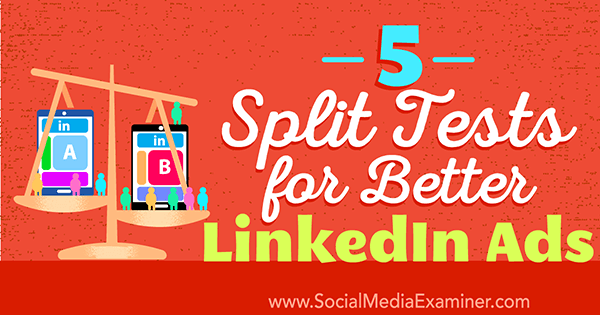
Do you want to improve your LinkedIn ads?
Have you thought about running split tests (A/B tests) to see what your audience responds to?
Optimizing your LinkedIn Sponsored Content campaigns can help you better reach the people who matter most to your business.
In this article, you’ll discover 5 Split Tests for Better LinkedIn Ads By Alexandra Rynne via Social Media Examiner
Who are the key influencers in your industry on Twitter that you need to connect with?
By identifying and building relationships with influencers you will have many benefits – Get your content shared, form partnerships, generate business and much more.
But before you go off and build these relationships, you need to put in a bit of work up front to identify who these influencers are.
Of course, we have some tools that will help!
Read full blog here: How to Find Influencers on Twitter By Ian Cleary via Razor Social
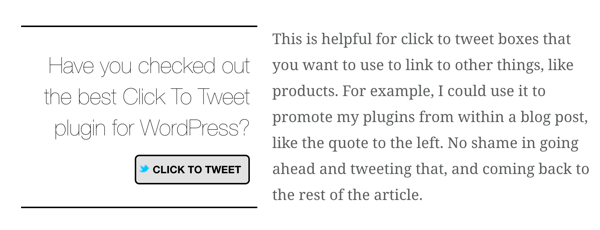
Do you want to make your WordPress blog more social media-friendly?
Looking for easy-to-use solutions?
WordPress plugins are simple to install and make it easy for you to incorporate socially focused functionality on your blog.
In this article, you’ll discover 8 Social WordPress Plugins to Improve Your Blog via Social Media Examiner
LinkedIn Recommendations Without Asking? (Yes! It’s Possible, Really)
Posted by: | CommentsDo you have an active LinkedIn profile? If you do I am sure you have had people message you and ask for a recommendation. The frustrating piece is that people you don’t even know are asking you for recommendations. Or sometimes people you have only met once at a local networking event. How willing are you to give them a recommendation? Never, Right?
 So how on earth can you get recommendations from people without asking when so many people you don’t even know are asking for them.
One way is to use the function LinkedIn has built into the platform…
Another, and my preferred way is to provide recommendations for people you know like and trust that have not been requested. Don’t expect they will necessarily return the favor, but it will come from somewhere.
The old saying you need to give in order to get works really well here. How would you feel if, out of the blue you received a recommendation on LinkedIn? You’d love it, Right? Who do you want to give that feeling to? I am sure you have customers, service providers, trainers or perhaps a coach you could recommend. Who is your favorite author? Find them on LinkedIn and give them a recommendation.
What are your favorite books in your niche? Give a recommendation once in a while to someone in your niche, it’s a great way to stand out from the crowd. It give the impression of increase and increases the opportunity for others in your niche to connect with you.
Check out the our new November webinar. “Let’s Pimp Out Your LinkedIn Profile” just click the Link below: http://justclicknow.ca/BNRegister
Would love to hear your comments and ideas right here on the blog. You are my inspiration!
To Mention or Not To Mention? (Yes You Can On LinkedIn)
Posted by: | Comments The mention function on LinkedIn is a great way for you to engage with other connections, professionals and associates who are the primary users of this social media platform however you must consider exercising caution first before making the most out of this function.
Like many of the other social media platforms LinkedIn has a method where you can mention people or business in your posts and/or comments. It is as easy as inserting the @ sign and then start typing the name of the person or business. You will then see a selection of people pop up, you select the specific person you want to mention.
The bigger question however is when and where to use this function. I have seen many people spam others with this function, however I would definitely NOT recommend you do that!
It is a great way to increase your exposure and visibility. You can let people know about a post you specifically want them to see. My favorite way to use the mention function is to let someone know when I have posted something they requested. It is also very effective in the comment section when you specifically want to bring your comment to the attention of another commenter or one of your connections.
In your profile settings you can have LinkedIn send you an email when you are mentioned. This will ensure you catch all the times you are mentioned and then you can respond appropriately.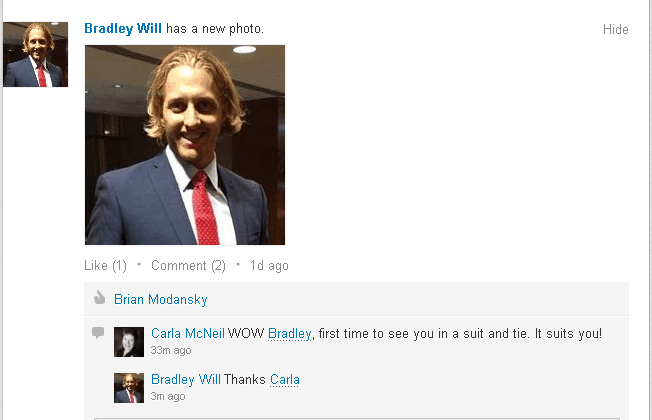
When you use the mention function you also allow people to share ideas and resources, it makes it so much easier for people to view and contribute.
It is a form of participation that may lead people to higher-value contributions. I know when I am specifically mentioned I feel the need to make a worthwhile contribution to the conversation. It reflects poorly on me when my contribution lacks thought and insight.
Bottom line it really will increase participation by encouraging collaboration. We all love to have our opinions shared, understood and agreed with. Using the mention function allows you to fully take advantage of those wonderful human needs.
Remember, LinkedIn is the most professional of all the social media platforms. Overusing the mention function could harm your reputation, use it with caution.
We have a great free webinar coming up on November 12, 2013. Come and join us and learn ” How To Pimp Out Your LinkedIn Profile.”
Check out the our new November webinar. “Let’s Pimp Out Your LinkedIn Profile” just click the Link below: http://justclicknow.ca/BNRegister
Would love to hear your comments and ideas right here on the blog. You are my inspiration!
LinkedIn Recommendation or Endorsement? You Want It All? (Of Course You Do)
Posted by: | CommentsIn today’s world many people are looking for “quick and easy”. LinkedIn has made it possible for us to do just that, because so many people would love to recommend you on LinkedIn but they just don’t have enough time in the day to sit and write that wonderful personalized recommendation you deserve.
Here are the definitions of Endorsement and Recommendation from LinkedIn;
An endorsement is a one-click way for your connections to endorse the Skills & Expertise listed on your profile. There is not an automatic way to request an endorsement. A written recommendation is not included with this feature.
A recommendation is a written statement of recommendation from a connection. You may request recommendations from your connections, as well as proactively recommend your connections.
I have been asked many times by busy business owners which one is better and why. My response is they are both good and both have their place on your profile.
We all like to hear from our customers and clients that they like and appreciate what we are doing for them and 3rd party endorsements are priceless. However in today’s very busy world many people do not have the time to sit and write recommendations for us. This is why the endorsement is important. Your connections can quickly and easily give you the thumbs upand highlight your skills. The fact that they have endorsed you is also available for their connections to see. Any of your first level connections can endorse you,
You can hide endorsements but you can’t delete them. Go to the pull-down menu at the top of the screen and under “profile,” click “edit profile.” When you scroll to the “skills and expertise” section, you will see a pencil icon. Click that and you will see an option to “manage endorsements.”
 Recommendations are harder to come by because they ask more of the person making the recommendation. However the BEST way to get them is to ASK! You will be surprised the responses you will receive. Make it a practice to give one or two recommendations per week to your connections. Write sincere, honest and complimentary recommendations for the people you know and have worked with. This will come back to you!
I personally don’t believe one is better than the other. Recommendations are definitely more powerful as they are personalized and address your business, service or product specifically. They highlight your skills. However people who use LinkedIn regularly look for the endorsements because they know just how busy people are and in their own way they demonstrate you are making a difference in this very busy world.
We have an special offer to you the “LinkedIn Manual” just click the Link below: http://justclicknow.ca/BNLinkedIn
“Would love to hear your comments and ideas right here on the blog. Just the link below to leave a comment.”