Archive for Relationships
Your Ideal Client is On Facebook? Is Your Business??
Posted by: | CommentsI was part of the Freedom, Heart & Profit Giveaway Extravaganza and one of the participants asked me this great question.
“Getting friends… Can/should this be used on a professional page instead of a personal page and what is the benefit of adding friends? Are these people who will then like your page?”
My Response
A Facebook business page allows you to only acquire fans, not friends.
You can only add friends on a personal profile.
 The advantage of having friends is you can invite them to “Like” your Facebook Business Page, it is not automatic. Once they become your friend they will not become a fan at the same time.
The other advantage of having friends on your personal profile is they can help you spread the word about your page.
The benefit of having a Facebook Business page is you can sell your products and services. You cannot sell from your personal profile, it is against the Facebook Terms and Conditions.
What To Do Next
I definitely recommend you build your business presence with a Facebook business page. Your ideal client is definitely there, however it will take work to find them. You must get inside the head of your ideal client, where do they hang out, what do they love and what’s important to them are a few of the questions you’ll need to answer. This is not necessarily a fast process, there is no magic bullet, you’ll have to get in there and do the research. Two resources to make that a bit easier are Facebook Insights and Quantcast. Alexa.com is also a great resource however to get the insightful information you need to get the paid version.
Make a list of your 10 ideal clients, they can be clients you already service or ones you would like to have as a client. Once that list is completed head over to Facebook and see if you can find them. There are over 1 billion personal profiles on Facebook, you will very likely find more than 50% of your list of 10.
Once you find them, take a look at what they like, what groups they belong to and who their friends are. This will provide you with some amazing insights to your ideal client.
Once you have all the information about your ideal client, it’s time to test.
You must post to your Facebook page daily. You never know when your fans will be online, it could be anywhere within the 24 hour time span. Therefore if you only post once per day you will need to rotate the times you post so you can discover when is the best time for your ideal client to see your posts. Test out different times as you also may have fans who are in different time zones. The Butterfly Networking page has fans from all over the world, we post for all different time zones, but we also know the best time to post to receive the most engagement.
If you haven’t built out your Facebook Page yet here is a great tool to get you started…
Facebook Set Up Like a Pro, a membership site I developed just for those of you who need to get this working now.
In this membership site I walk you through the process of setting up your Facebook Business page and provide strategies, tools and tactics to create a thriving Facebook Page.
Check out what you’ll discover when you invest today:
- Quickly and easily set your Facebook Personal Profile and Page up for success.
- Discover how you can find the people who are looking for you.
- Profile picture vs Logo?
- and much, much more!
Already have your Facebook page set up but not sure what your next step needs to be, this membership site will work for you too because you’ll;
- Get that cover photo on the Facebook Page working for you day and night
- Discover how to create content that keeps your fans coming back again and again and again!
- 24/7/365 access forever!
Get your Facebook Set Up Like A Pro NOW at the CRAZY super low introductory price!

Facebook Set Up Like A Pro NOW
Heart-centered Entrepreneurs: Get Results Now!
Posted by: | CommentsNOTE FROM CARLA: Dr MaryJo Wagner and I have been associates for more than 5 years. She has developed this great webinar for you, a Heart-centered Entrepreneur! I highly recommend you sign up for her free webinar because she will provide you with information, tools and strategies that will make a huge difference in the success of your business.
I love to people watch. Standing in line at the grocery store. Walking through my neighborhood. Waiting at the gate to board a flight.
And I’ve been watching millionaire heart-centered entrepreneurs and creatives for the last 20 years–coaches, speakers, best-selling authors.
I’ve discovered the Four Guru Secrets!
Successful heart-centered marketers all share ONE thing in common. And they all do THREE things first. They do them over and over, day after day, year after year.
I work with business owners who are stuck, overwhelmed, confused–from coaches to authors to speakers to heart-centered entrepreneurs and I’ve learned that . . .
Bottom line: Success is nothing more than doing the right things over and over and over and over.
You know the basic things you need to do every day.
If you’re an entrepreneur with a blog and a FaceBook account, are you posting consistently–every day on Facebook, 2-3 times a week on your blog?
If you’re an author, are you writing every day?
If you’re a speaker are you consistently out there speaking, marketing your speaking business, working on your skills?
I can’t emphasize it enough! Success comes from consistently doing the right things.
 Yet so many of us, including me, get lost. We flounder around, change our mind, start one thing and jump to the next. Get confused and aren’t sure what to do.
I hear folks say that they could be consistent if they knew what to do. They’re wondering what the gurus do.space
Now you can find out exactly what these millionaires do consistently to have the freedom and life style they want.
And isn’t that what you want? Freedom and life style that lets you enjoy your heart’s desire?
You’ll find The Four Secrets and lots more in my “Get Results: Doing What the Gurus Do” Webinar on Thursday, May 15 at 7:00 PM EST (eastern). You’ll get an Action Guide. And I’ll be walking you through exactly what to do in your business to do what the Gurus do to make money.
Yes, you read that right. You will actually work on YOUR BUSINESS during the webinar!
Discover what you need to do to get more clients and customers,
more money, and more opportunities to facilitate change for others.
Sign up and Get More Information Now
How To Listen Online, 4 Social Media Tools to Help You Listen
Posted by: | CommentsIf you have been online for even just a little while, I am sure you’ve heard the advice that you need to listen. There are lots of people out there talking about lots of different things; you want to find out what they are saying about your product, your service, your company. Or, if you aren’t a big online presence yet, about your specific topic area, your niche.
You want to be able to have your finger on the pulse, know what is going on, with social media you will hear it from the experts all over the place. “You have to listen”. It is the number one thing that you need to do. The benefits of listening online are that you’re really going to know what is going on; in your target market, in your niche, in your subject area, in your family — you are going to know what is going on.
You’ll also be able to see any problems developing. Are people talking about you or your field in a negative way? Has the tone of the comments, questions or requests changed from positive to maybe a hint negative or really questioning? You’ll be able to see some of those problems coming, which means you’re going to be able to address them early when they are small rather than later when they are large. If you see something that is negative about your product or service, you’re going to be able to jump right in and do something quickly.
So, how do you listen online? I have four ways that you can do just that…
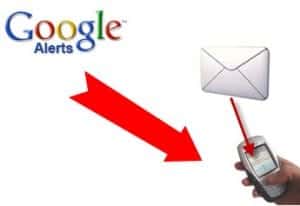 1. Google alerts. An excellent tool. You can set them up for any number of topics that you want. You can set up as many as 1000 Google alerts. And you can decide when you are setting it up, how often you want to receive those Google alerts. I have Google Alerts set up for my name, company name, keywords and article titles, it is your decision what you want to set yours for.
2. Set up searches on terms or key words in Twitter. Once you set it up, you can go in and monitor it. You will find out exactly what people are saying, when they are saying it, where they are saying it, how they are saying it. AND you will know at the speed of Twitter, what is happening.
3. Twilert.com. Is a web site where you can go and you can set up some Twitter alerts, so that you are not going to have to go back in and take a look at the searches that you have generated. They will send you the results and so that you know what ‘s going on.
4. SocialMention.com Social Mention takes it one step further in that it monitors all of your different social media. What is happening? Where are you being mentioned? Where is your product being mentioned? What key words — you will be able to go in and set up whatever you want.
There are hundreds of ways to listen online. These are four of the easiest and they are all free. You need to get started. Get out there, get listening, understand what is going on.
We have an special offer to you the “Facebook List” just click the Link below: http://justclicknow.ca/11IjTOR
“Would love to hear your comments and ideas right here on the blog. Just the link below to leave a comment.”
Social Media Marketing -The Importance of Backing Up Your Social Media Conversations
Posted by: | CommentsIt is critical that you back up your social media conversations.
Do you really know the value or even what you have in there. Is there information on potential customers or clients that can only be found in your social media conversations?
What would be the impact if they closed down your Facebook account? What would be the impact if there was a big glitch again at Twitter and you lost all your Twitter conversations?
 Take a look and decide just how important are the social media conversations to your business, and I’ll bet, like me, you discover that there is a heck of a lot in there that isn’t anywhere else. It’s not backed up, it’s not in your database. It’s not in your email, it’s nowhere else but in your social media conversations. That’s why it’s so important to get in there and back things up.
Originally, I thought it’s not that important, I don’t have much in there, and I’ll get to it later. Well, guess what? What you really need to do is to get yourself into the habit, develop the habit of backing it up now, when there’s not a ton in there. It doesn’t take long, and you’ll be able to see how it works, how it happens. It won’t be at a point where something’s gone wrong and, oh my gosh I’ve got to get this done as quickly as possible. Take the time, do it now, and develop that habit.
Personally, I store tons of things in social media, that whole initial contact. And I had no way of backing it up. Do you know how you store yours? Do you know what’s in your Gmail account? Take a look at where your traffic comes from, because as you grow, so will your traffic. So that little bit of traffic that you’re getting now, or even if it’s a lot of traffic that you’re getting now, find out where it is, start with that social media platform, that one that’s the most important today.
There are free services out there that will back up all your stuff for you, but there’s no guarantee, and losing your social media information is just like losing a customer.
I have five options, five ways that you can back up different social media platforms.
1) With Twitter, there is one that is called Backupify. When this first happened to me, that my Twitter account was affected during one of the people attempting to bust into, to hack into Twitter, and my Twitter account was down for three days and I had nothing, no backup at all. And you, I’m sure, will understand the huge sigh of relief when all my Twitter streams came back again. I was so grateful that Twitter was better at backing things up than I was.
2) Gmail: Gmail has Mailstore.com, and you can back up more than just Gmail, but it is a place to back up your email. If you’re like me and a lot of your first contact is in there, you direct people over to your website to get them into your database but they don’t, that first contact stays in your email. How do you back that up? Mailstore.com will be able to help you with that.
3) Facebook also has a process. You can go into your Facebook account and you can back up all of your Facebook, and they will send you an email when it’s done. I probably do mine about once every two weeks. It takes quite a while, and depending on the number of friends and the number of groups and pages you are a part of, it may take a while.
4) LinkedIn also has its own special process; you can actually export your information on LinkedIn over to another file that you can store. You may choose to store it as an Excel document; I choose to store mine on notepad.
5) WordPress has a plugin that allows you to set it and forget it. I get that email every day, that my WordPress is backed up, and I go in and delete the old one. I actually keep about a week’s worth, when a new one comes in, I go back and delete an old one.
We have an special offer to you the “Facebook Birthday” just click the Link below: http://justclicknow.ca/Wu1kK6
Would love to hear your comments and ideas right here on the blog. You are my inspiration!
Social Media Marketing – Social Media Just Won’t Work for My Business
Posted by: | CommentsI recently attended a conference of business owners. I was amazed with some of the ideas, remarks, suggestions, that I received during discussions with other business owners. I heard things like social media is not worth the time or the money, social media just does not work for my business, or even social media just doesn’t work.
Here is a great quote from Bill Gates:
Information, technology, and business are becoming inextricably interwoven. I don’t think anybody can talk meaningfully about one without talking about the other.
How many times in the past year have you gone to the Yellow Pages. I personally don’t use the Yellow Pages anymore, and if you were to take a look at the Yellow Pages from your community, I’ll bet that they are thinner now than they used to be. When you and your business consider getting involved with social media, take a step back and think of it simply as a marketing tool, like the Yellow Pages used to be. They used to be thought of as an excellent marketing tool. Not so much anymore. Even if you were to go in and take a look inside, I bet you you’ll find lots of blank spaces in your Yellow Pages, because they don’t get enough businesses advertising with them anymore.
 Online information technology is becoming the way to connect with your customers and clients. Personally, if I’m looking for something, in my own area and when I am traveling, I always go online and Google it first. What do you do? Where do you go when you’re looking for a business solution or an answer to your question?
One of the big things that I’ve come across is people who are starting to get involved with information technology and social media is they have a web site that is static. It just sits there, it doesn’t do anything. It’s just one big pretty picture with some contact information, maybe a phone number, an address, nothing interactive, nothing to give the person, nothing to entice the person to take a closer look at the business. It’s just like having a great big business card online. Take a look at your website, is it working “for” you?
One of the things that you want in your business is social proof. You want people on Twitter, Facebook, or YouTube to be talking about your product and/or your service. You want social proof. And the easiest way you’re going to get that is for you to have a presence in social media. If you don’t want to get left behind in marketing your business then you must get on board with social media marketing. All business can benefit whether they are big or small; brick and mortar or on-line.
We have an special offer to you the “Facebook Birthday” just click the Link below: http://justclicknow.ca/Wu1kK6
“Would love to hear your comments and ideas right here on the blog.”