Archive for Twitter
No Time for Social Media? Find It Now!
Posted by: | CommentsNo Time for Social Media? Not enough time in the day to keep up with all your social media tasks?

You’ve heard it before, “Your Business Must Be On Social Media“, but you’ve tried it and just couldn’t make it work. It took up too much time and just didn’t seem to be worth the effort. Can you relate?
Unfortunately social media is something you must do if you want your business to thrive. Why you ask…
In today’s world people search for your business on line before making a buying decision. Personally I don’t like to do business with someone who isn’t on social media. Even if they have been told about your business from someone else if the do a search for you and can’t find you the chances of them calling you or walking into your store are pretty slim. Social proof is very important to the decision making process in our internet connected world. People want to know you can be trusted.

Don’t get stuck behind your desk all day!
But that still leaves the question where do I find the time?
Who wants to be stuck behind their desk all day long?
Experts say we must be posting daily, in some cases 2 or 3 times per day. The good news is that for small business owners who have a following of less that 10,000 once per day on Facebook is effective! The idea is to be present and active. Interact with people, like, comment, share and answer questions.
It’s time for you to “squeeze” all you can out of your social media profiles/pages using the World’s 1st ALL-IN-1
Social Media Marketing Tool!
I am regularly being asked to review social media products and rarely do I find one I really like. This tool I am sharing today is something I wish I had when I first got started. It certainly would have made life a lot easier.
You have got to see this…
In just a FEW CLICKS you will be able to manage ALL of your social media accounts!
Here’s what I found – the World’s 1st ALL-IN-1 Social Media Marketing Tool, BLEUPAGE PRO.
Not only will you GET MORE traffic, leads and sales from using BleuPage Pro but your biggest social media marketing problem will be solved.
You will no longer miss out on opportunities because with BleuPage Pro you will be able to manage your:

- YouTube
- Blog
- Website
The best part is you will SAVE MONEY because you will not have to hire a social media manager, like me.
Imagine being able to sign into all your accounts from just one place AND having resources at your fingertips to help you create great content!
BleuPage Pro will do all of the work for you 24/7… 365 days per year!
==> Get your hands on the markets ONLY ALL-In-1 Social Media Management Software today and solve the problem of “No Time for Social Media” today.
“To keep the body in good health is a duty…
otherwise we shall not be able to keep our mind strong and clear.” Buddha
I selected this product based on several factors, including member feedback, customer satisfaction, and other criteria.
While Butterfly Networking does receive a commission if you elect to buy, I do not accept compensation from vendors who want me to review their product.
Check out BleuPage Pro Today ==> http://ClickHereNow.co/BluePagePro
Twitter Tips and Guides
Posted by: | Comments
Want more people to share your blog posts on Twitter?
Looking for proven promotion tactics that deliver blog traffic?
Twitter is a great place to share your blog posts but you’ll have to go beyond tweeting the basics to generate substantial traffic and visibility.
In this article, you’ll discover seven ways to effectively promote your blog posts on Twitter without any ad spend.
Read more: How to Use Twitter to Drive More Traffic to Your Blog via Social Media Examiner

While more recent headlines have not been flattering, Twitter has earned its spot as a leading social media platform over the past eleven years.
Those 140-character snippets can provide tons of organic growth, engagement and brand recognition for businesses of all sizes. Users latch on to the conversational and up-to-the-minute nature of the platform. If you’re running a small business, incorporating Twitter into your marketing plan is likely a wise and cost-effective idea.
Today, we’ll review the essential steps to get your Twitter for Business account up and running – and most importantly, generating the positive results you want.
Read more: A 5 Step Guide to Using Twitter for Business via Social Media Today
Proactively growing your Twitter follower base has so many strategic advantages for your business. It won’t happen overnight, but it will happen over time with the right steps.
This week’s top article includes an awesome infographic filled with practical, actionable tips for building your audience on Twitter. Check out the infographic embedded below and also broken down with specific tips for each step on AgoraPulse’s blog.
Read more: How To Double Your Twitter Followers In 5 Minutes A Day: The Social Scoop Issue 135 via Mari Smith
New Updates on Twitter
Posted by: | Comments
Need more leads and prospects?
Looking for creative ways to generate leads with Twitter?
Because Twitter is discontinuing lead generation cards, now is the time to put new lead funnel techniques in place.
In this article, you’ll discover three ways to find your next customers on Twitter.
Read more: 3 Ways to Find Prospects Using Twitter By Andrew Pickering via Social Media Examiner
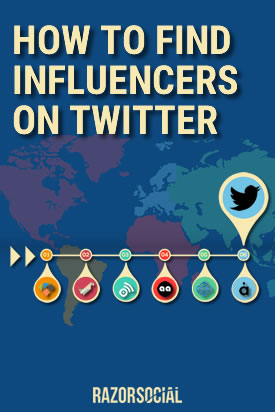
Who are the key influencers in your industry on Twitter that you need to connect with?
By identifying and building relationships with influencers you will have many benefits – Get your content shared, form partnerships, generate business and much more.
But before you go off and build these relationships, you need to put in a bit of work up front to identify who these influencers are.
Of course, we have some tools that will help!
Check out here: How to Find Influencers on Twitter by Ian Cleary via Razor Social

Is Twitter part of your marketing strategy?
Looking for tools that will help improve your Twitter results?
With 1.3 billion registered users and enough tweets sent each day to fill a 10 million page book, it’s harder than ever to get noticed.
That’s where the right tools come in. They can help:
Improve performance and growth
Connect you to industry influencers
Drive real ROI from Twitter, and more!
Wondering which ones to choose?
We’ve put together a NEW Infographic with the top 25 Twitter tools guaranteed to improve your marketing strategy.
Let’s take a look!
Read more: 25 Twitter Tools Guaranteed To Improve Your Marketing Strategy (Infographic) via Post Planner
Twitter, Why Are So Many People Afraid of it? (You Don’t Need to Be)
Posted by: | CommentsRecently one of my clients told me that “the twitter scene it is so daunting”. I remembered back when I first started and how I too just did not quite get it. However I promise you Twitter actually has a pretty short learning curve to get started.
 What is it that people are afraid of, I did some research and found
1) Fear of failure – “What if I do something wrong? Say the wrong thing?” This fear of Twitter can be overcome because of a short attention span, Twitter moves quickly and even if you were to “oh my gosh, make a mistake” it will not be visible for long. Depending upon how many followers your followers your tweet could disappear in a second. This quote is so very true, failure means you are actually doing something which is more than most people.
Every failure brings with it the seed of an equivalent success. Napoleon Hill
2) New, too quick and big learning curve – even though Twitter may seem a little strange in the beginning think of it like being able to send a little brochure to millions of people. The learning curve is not huge, there are only about 5 or 6 main features to learn. Sitting down with someone for some focused learning and you could have it down pat in an hour.
3) Can be overwhelming – who do you follow, who not to follow or does it really matter? There are a lot of people who Tweet about “going to Starbucks for coffee” and may not care. That’s OK you just let that stream by, however it is a customer in your local area you may just decide that you need a coffee too and go and join them. Twitter is used for Many, Many, Many reasons.
4) People believe they can’t handle it – once you understand the power of Twitter you can effectively use it for your business in as little as 15 minutes a day. You can use some of the many tools out there that make it much easier or you can have someone else assist you with your Tweeting.
Live as if you were to die tomorrow. Learn as if you were to live forever. Mahatma Gandhi
The real value of Twitter is listening. You can easily see what your customers and potential clients are talking about, have concerns around or are looking for. You may be able to quickly and easily “fill the gap” for them.
We have an special offer for you the “Twitter Manual” just click the Link below: http://justclicknow.ca/TwitterBN
Would love to hear your comments and ideas right here on the blog. AND I look forward to seeing you on the webinar.
Twitter, Is it Really Worth It?
Posted by: | CommentsUsing Twitter as a business tool seems to make good business sense however wading through the overwhelming number of tweets of nonsense and vulgarity to arrive at tweets which might have even minimal interest at the business level make it truly daunting. Have you missed the point of using this valuable social media marketing tool?
Twitter can be full of nonsense and vulgarity and depending upon how much work you want to put into in you can precisely control what goes into your Twitter stream. Attempting to control the flow of tweets in your Twitter Stream is like attempting to control the flow of traffic on the freeway just because you are there. It is just not possible, my advice is not to attempt to control it!
I would suggest that you look at Twitter from the perspective “who gets to look at you and what you have to offer”. Who are you putting your information in front of? You want to get people’s attention and then when you have their attention you can interact with them and have them join or opt in to your information.
Yes YOU want to get THEIR attention, not the other way around.
Once you have their attention you then want to influence your followers by providing quality information and service. Be out there, be visible and remember what may be nonsense to you may not be to someone else.
 Some people believe they will get the attention of others by consistently tweeting nonsense, affiliate links or using vulgar language. The attention they get from me is “blocked!” There are millions of people on Twitter and many of those people would not block what you or I would block.
Twitter could be a 24 hour per day job if you let it. The thing to do is to check it regularly, whether that means once a month, week or day is your choice. It is a flow of traffic of ALL kinds, some of which you want and some that you don’t want.
Once you have some of that traffic diverted your way remember to show appreciation, find and share great information. This is one of the proven ways to actually keep their attention. This information does not always have to be yours, it can be anything that is consistent with you and your message.
I have found that sharing great stories, current events and motivational quotes to be appreciated.
Check out the our new December webinar. “We “Tweet” You A Merry Christmas” just click the Link below: http://justclicknow.ca/WebinarRegisterDec10
Would love to hear your comments and ideas right here on the blog. AND I look forward to seeing you on the webinar.